


Creating Drop Down menus in your Blog!

Here is small code to create a drop down menu in blogger beta.
Step 1. Copy the code below in a note pad and replace link1.com, link2.com etc. with the destination page, and link1 and link2 with the name of the respective destination. If you want to insert more links just copy and paste (removing all underscores"
<_option value="http://link1.com">link1<_option value="http://link2.com">link2<_br>before this tag --> <_/select>
after doing this your code is ready.
start copying the code below this line
<_br/><_select onchange="javascript:window.open(this.options[this.selectedIndex].value);"><_option value="">My Blogroll<_option value="http://dollars-online-free.blogspot.com">Crusher's Blog<_option value="http://link1.com">link1<_option value="http://link2.com">link2<_/select>"
code copy ends above this line.
Step 2. Log on to your blogger beta account and in blog settings go to template tab and then click "Page element" tab

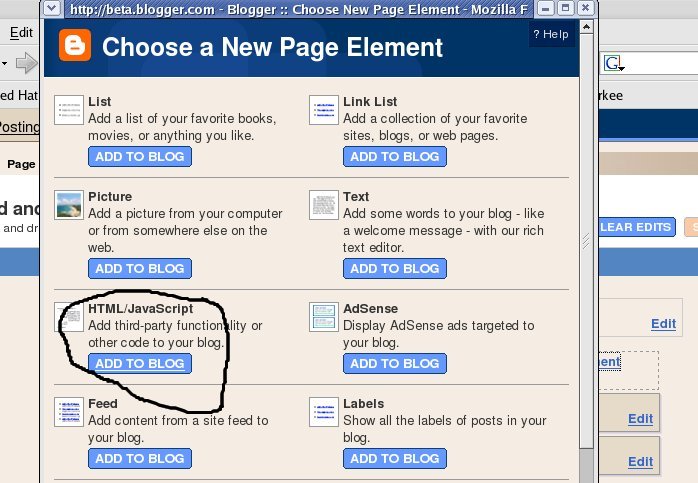
Now click "Add a page element" and then choose HTML/Javascript page element
 Now enter the title what ever you like. (i've entered Blogs i read) and in palce of content add the code which you have copied and modified in the notepad in step 1.
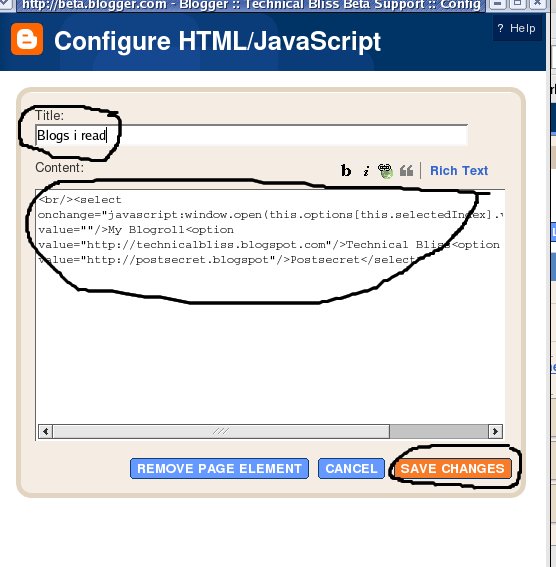 Now click "save changes"
Now you can see a new element is added in your layout.( see the image below)
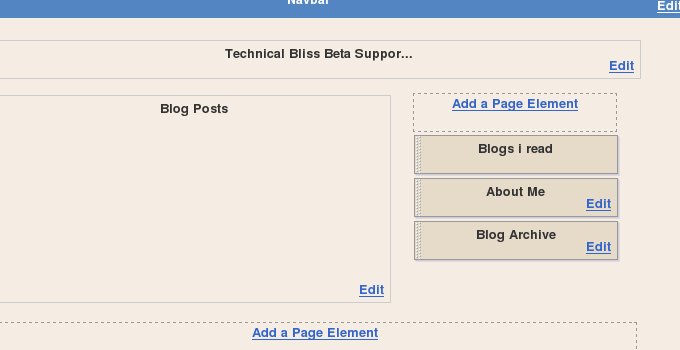 Now drag and drop the element ( i.e Blogs i read) where ever you want it to be. ( Like i've put it below my blog archive)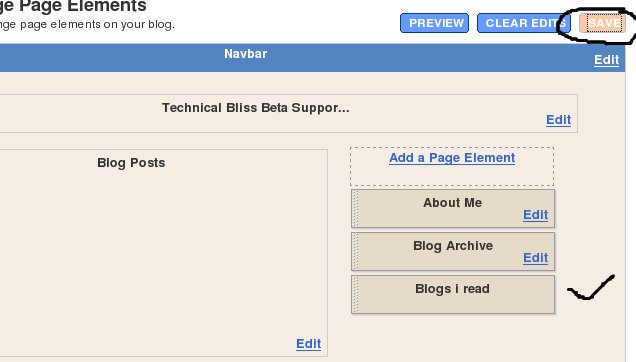
Click "save" button and work is done.
your drop down menu will look like this.

If you have any problem, feel free to ask me...


0 comments:
Post a Comment